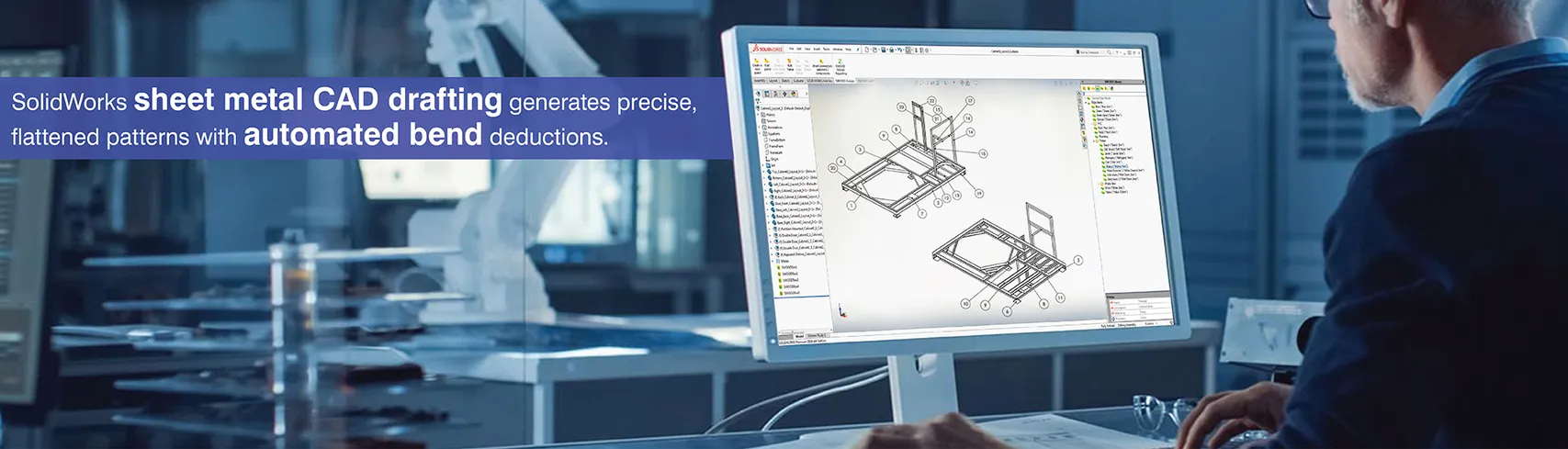
Fabricating sheet metal requires documentation that describes the designer’s intent of how to manufacture the part. By linking parametric 3D models directly to manufacturing documentation via sheet metal CAD drafting in SolidWorks, each dimension, bend note, and flat pattern is the same as what has been produced.
This combined method of creating manufacturing documentation provides an automated process, eliminating the need for manually updating drawings and subsequently reduces the amount of error associated with it.
As a result, manufacturers have a level of confidence when providing their machine operator documentation that clearly defines the sequence of bends, verifies that flat patterns for laser cutting are correct and communicates tolerance limits based on equipment capability.
Why sheet metal CAD drafting in SolidWorks matters for fabrication
Sheet metal CAD drafting takes 3D models and turns them into 2D drawings, which are then used by fabricators to cut, bend and weld the parts together. SolidWorks allows users to maintain parametric relationships between 3D model geometry and the 2D fabrication documentation created for each piece.
When changes occur as to the amount of bend or the type of material being bent, these changes will be reflected in every drawing that has been made for the item. The main manufacturing parameters for sheet metal include the thickness of the sheet, the radius of the bends, and the K-factor.
When you create sheet metal part drawings in SolidWorks, if you make any adjustments to the flange length or bend angle on your 3D model, it will automatically update your drawing so that you don't have to manually redline the drawing.
How to create accurate sheet metal part drawings in SolidWorks?
Documenting your manufacturing process starts with the 3D sheet metal model and goes on to include various 2D drawing views to capture aspects involved in fabricating a product:
Essential views and dimensions in sheet metal part drawings
When creating sheet metal part drawings in SolidWorks you need to follow some required views and dimensioning practices:
- Formed view: A view that displays the finished part as it would appear after bending is completed, so that users can verify the part’s geometry and use the part for inspection purposes.
- Flat pattern view: A view that shows the unbent (flat) version of the part with the bend lines indicating where bends are located and the direction of those bends, plus an accurate representation of the shape of the part before it is cut.
- Sectional views: Provide visibility into the interior of parts to see the thickness of walls and how bends are related to each other.
- Overall dimensions: The overall size of the part and the primary datum references.
- Hole specifications: Indicate hole diameters and the positional tolerance for holes relative to the edge of the part after it has been bent.
- Edge distances: Define the distance between one or more features of the part and the boundary of the part to prevent the part from tearing when being processed.
Adding annotations and manufacturing details in sheet metal shop drawings
Complete sheet metal shop drawings are needed to include following information in addition to geometric dimensions:
- Specification of material: Type of material, grade of material and sheet thickness associated with properties in a part file.
- Bend tables: Bend angle, radius, and sequence of bends can be automatically created from 3D geometry to create bend tables that list all the bend information for the part being fabricated.
- GD&T callouts: Information used to define both form and position tolerancing. This is used to control how bent features will relate to each other once the bending operation has been completed.
- Title blocks: Title blocks contain the part number (PN) along with revision tracking and approval signatures from the people responsible for approving the fabrication of the part.
Using SolidWorks sheet metal flat pattern for fabrication accuracy
SolidWorks sheet metal flat pattern determines the developed length (DL) in which the part is laid out using the K-factor to take into account the part's material thickness as well as where it is positioned relative to the neutral axis (NA). A 2mm-thick bracket that has two 90-degree bends at a 3mm inside bend radius would have a K-factor of 0.42 used to determine its bend allowance.
SolidWorks will reverse all bending operation to flatten the part and apply bend deduction calculations to determine the correct size of the part when flattened. When you export your SolidWorks model to DXF format, the flat pattern geometry will be transferred to your laser cutting system.
By creating an accurate flat pattern of your design, you can minimize material waste since the parts are cut to the correct length, thereby eliminating the need for any post-forming trimming.
Best way of delivering fabrication-ready sheet metal drawings with SolidWorks
Fabrication-ready sheet metal drawings should have all the information required to produce the part. The essential items to be included are as follows:
- The complete dimensions defining every feature in both the flat and formed configurations of the part. These dimensions may also reference the general tolerances for the part as well as specific callouts for critical dimensions.
- The bend information that defines the angle, radius and sequence of each sheet metal bending operation extracted from the parametric models used to create the drawing.
- The material specification defining the type, grade, thickness and any surface treatment required for the fabrication of the part.
- Fabrication notes detailing the need for deburring, orientation of grain direction and criteria for inspections employing a standard sheet metal CAD drafting workflow.
Conclusion
SolidWorks sheet metal CAD drafting provides shop-ready drawings by creating a link from parametric model designs to manufacturing documentation. The automatic SolidWorks sheet metal flat pattern generation and all-inclusive annotation tools convert design geometry into fabricable manufacturing documents, resulting in shorter production lead times and better first-part quality.