Every React developer eventually reaches the point where they need to build a form.
You start building a new feature, create a form, wire up validation, connect React Hook Form, add a Zod schema, style everything with shadcn/ui, and then repeat the process again for the next feature.
The problem is that most forms are repetitive.
Whether you're building an admin dashboard, SaaS application, internal tool, or customer onboarding flow, a large percentage of your development time goes into recreating the same patterns over and over again.
That's exactly why you can use Shadcn Form Builder.
The Hidden Cost of Form Development
A simple form often requires much more than just rendering a few inputs.
Most production-ready forms need:
- Input components
- Validation rules
- Error handling
- Type safety
- Form state management
- Consistent styling
- Reusable architecture
Individually, these tasks aren't complicated.
Collectively, they can consume hours of development time across a project.
For teams building multiple forms every week, that overhead adds up quickly.
Shadcn Form Builder Different Approach
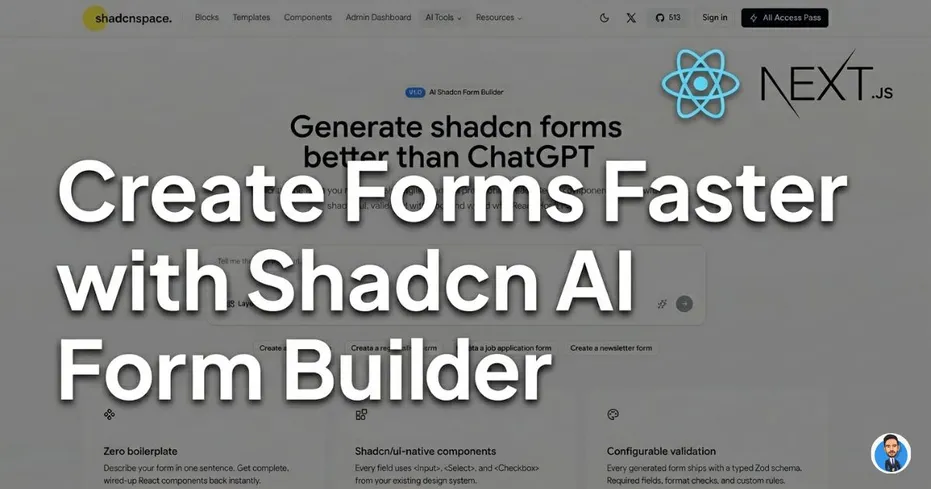
Instead of manually creating every field and validation rule, Shadcn Form Builder allows developers to describe a form in plain English and generate a complete starting point automatically.
For example:
Create a user registration form with name, email, password, confirm password, and terms acceptance.
The builder generates:
- React form components
- shadcn/ui inputs and controls
- React Hook Form integration
- Zod validation schema
- Structured, editable code
The result is a working form that developers can immediately customize and integrate into their application.
Built for Modern React Projects
Shadcn Form Builder follows the tooling that many React developers already use today.
shadcn/ui Components
Generated forms use familiar shadcn/ui patterns, making it easy to match the rest of your application.
React Hook Form Integration
Form state, submission handling, and validation are already connected.
Zod Validation
Schemas are generated automatically, helping teams maintain consistent validation across projects.
Watch AI FORM Builder in Action
Seeing the workflow is much easier than reading about it.
Check this video for more information and a complete walkthrough of how prompts are converted into working React forms.
https://www.youtube.com/watch?v=PaUs7tRPvuY
Where This Helps Most
Form builders aren't useful because they eliminate coding.
They're useful because they eliminate repetitive coding.
Some common use cases include:
SaaS Applications
- User onboarding
- Account settings
- Billing forms
- Profile management
Internal Tools
- Employee management
- Data entry workflows
- Approval systems
- Reporting interfaces
Admin Dashboards
- CRUD operations
- Configuration panels
- Content management
- User administration
In these scenarios, developers often build dozens of similar forms across a single project.
Beyond Forms
Forms are usually only one part of the interface.
Once the form is complete, developers still need layouts, cards, tables, navigation, dashboards, and other UI building blocks.
That's why many teams combine the Form Builder with a larger collection of Shadcn components and blocks to accelerate development across the entire application.
Benefits include:
- Faster UI development
- Consistent design patterns
- Reduced boilerplate code
- Better project scalability
Building Admin Panels Faster
Many developers use generated forms inside admin dashboards.
A typical admin panel requires:
- Authentication screens
- User management forms
- Settings pages
- Analytics views
- Tables and data management interfaces
Using a structured Shadcn Dashboard alongside generated forms can significantly reduce the amount of setup work required before development begins.
https://www.youtube.com/watch?v=vf30Nim9Oeg
Instead of assembling everything from scratch, teams can focus on business logic and product features.
When Does a Form Builder Make Sense?
A tool like this is most valuable when:
- You build forms regularly
- You already use React Hook Form
- You rely on Zod validation
- You work with shadcn/ui
- You maintain SaaS products or admin dashboards
- You want to reduce repetitive setup work
If you're only building a single form, manual development may be perfectly fine.
But when you're creating dozens of forms across a product, automation starts providing meaningful time savings.
Try Shadcn Form Builder Today
If you're tired of recreating the same React form setup repeatedly, Shadcn Form Builder can help you move from idea to implementation much faster.
Generate forms using plain English prompts, customize the output, and integrate them directly into your React or Next.js application.
Watch the video walkthrough, generate your first form, and see how much repetitive work you can eliminate from your workflow.
https://www.youtube.com/watch?v=PaUs7tRPvuY
Final Thoughts
React forms aren't difficult, but they are repetitive.
The combination of shadcn/ui, React Hook Form, and Zod has become a popular standard for modern React applications. This Shadcn Form Builder builds on that stack by automating much of the initial setup work.
Rather than spending time wiring the same patterns again and again, developers can start with a structured foundation and focus on building the features that actually differentiate their products.