Join us

Performance Review Template That Actually Works

Zrzut ekranu 2026-05-01 131816

TL;DR:

Hiring the right person is only half the equation — helping them grow is the other


Without a clear process, performance reviews can feel like a box-ticking exercise. Managers dread them. Employees don’t take them seriously. And HR teams spend weeks chasing overdue feedback, calibrating results, and compiling reports that no one reads.

A structured performance review template changes that.

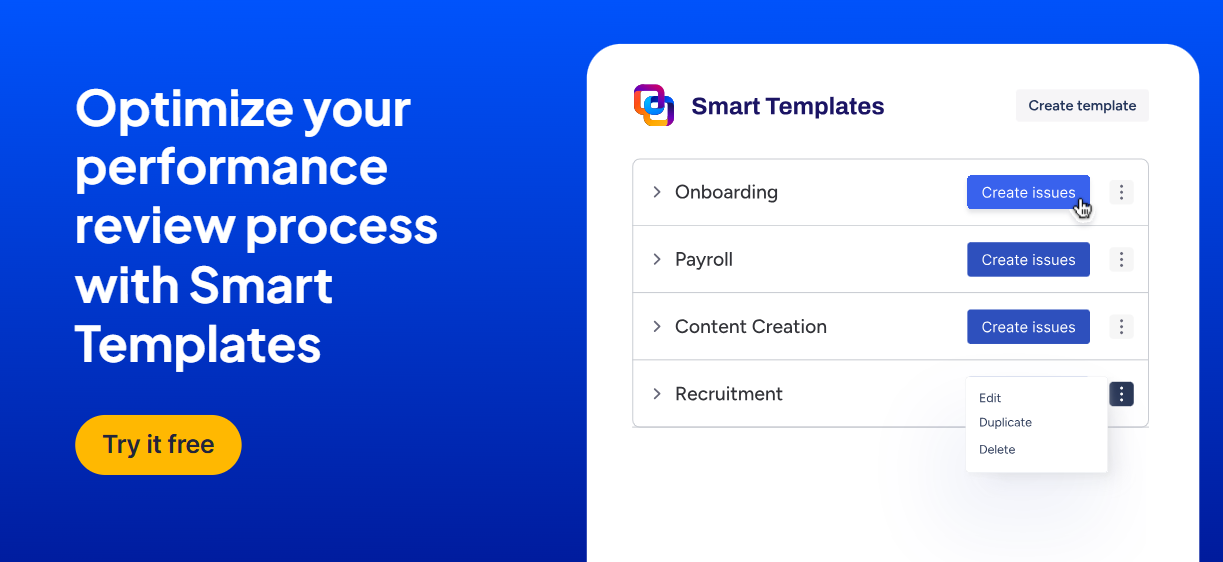
In this article, we’ll show you how to build a scalable performance review template in Jira using Smart Templates and Smart Checklists. Based on real-life workflows from HR teams, this setup helps you:

  • Align participants across functions and levels
  • Standardize performance evaluation formats and competencies
  • Automate reminders, approval steps, and post-review actions
  • Link review results with growth plans, OKRs, and compensation changes

Let’s start by defining what a performance review template really is, and why Jira is the perfect place to build one.

What Is a Performance Review Template?

A performance review template is a repeatable structure used to evaluate employees and support their growth. It outlines the steps involved in the performance evaluation process, from setting up the review cycle to delivering personalized feedback.

Instead of juggling spreadsheets, Slack messages, and multiple tools, you can manage everything inside Jira, from review cycle setup to final feedback discussions, in a single, trackable workflow.

A performance review template in Jira helps:

  • Align HR, managers, and team members on timelines and responsibilities
  • Standardize review formats, rating scales, and evaluation criteria
  • Create a repeatable framework for self-assessments, peer reviews, and manager feedback
  • Link evaluations to career development plans, OKRs, and promotion decisions
  • Track review periods, deadlines, and feedback progress in one place

In case you use Smart Templates and Smart Checklists in Jira for performance reviews, you can turn a complex HR cycle into a structured, automated, and collaborative workflow.

How to Build a Performance Review Template in Jira

A performance review cycle has many moving parts: deadlines, participants, review types, competencies, and approvals. Without a structured setup, things fall through the cracks.

Here’s how to set up a scalable, repeatable performance review process in Jira, using Smart Templates and Smart Checklists.

Step 1: Set Up the Review Cycle (HR’s Responsibility)

Each review starts with a Smart Template that creates a structured Jira issue for the review cycle.

Example issue title:

Epic: Performance Review – {{review_period}} | {{team}} | {{year}}

 Task: Performance Review Cycle Setup (HR) for {{review_period}} | {{team}}

 Task: Collect Performance Reviews for {{review_period}} | {{team}}

 Task: Approval Workflow for {{review_period}} | {{team}}

 Task: Results Release for {{review_period}} | {{team}}
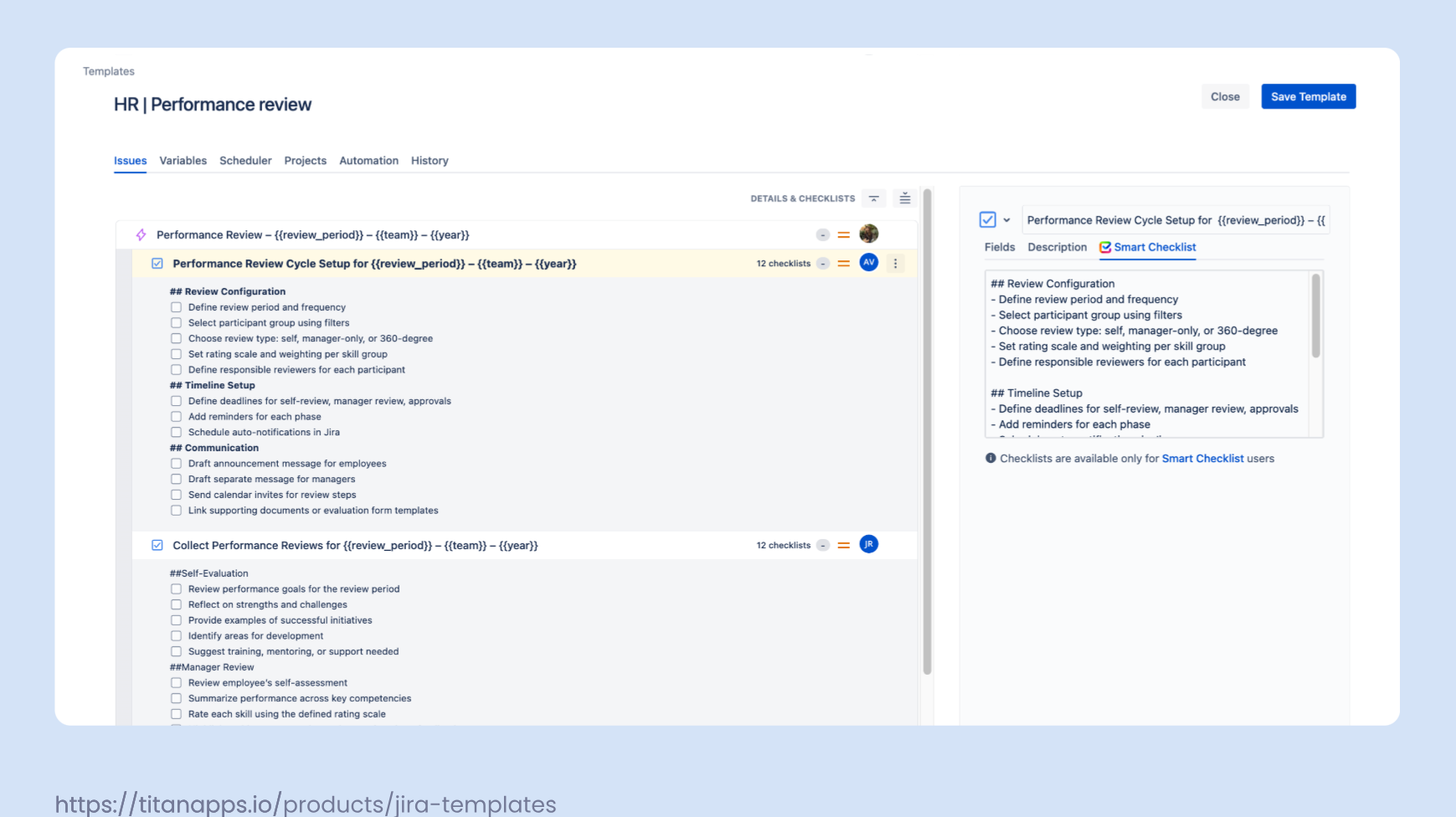
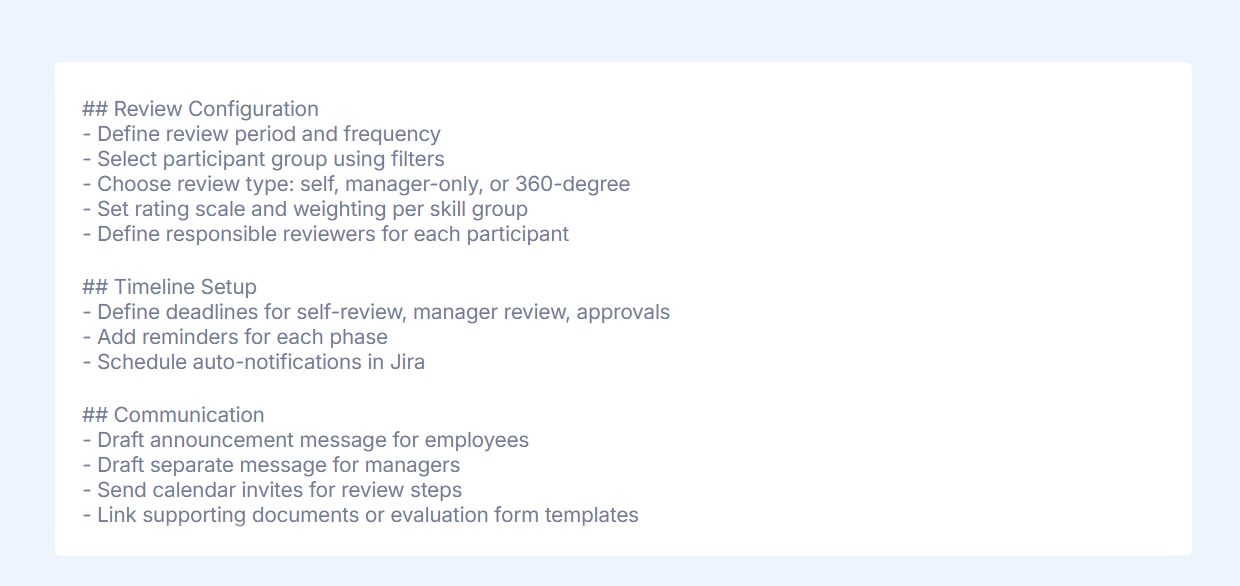
HR uses this issue to define all key parameters of the review process:

  • Review frequency: annual, bi-annual, or quarterly
  • Scope: company-wide, specific teams, departments, or individuals
  • Participant filters: use advanced filters to select target groups
  • Review type: self-review, manager-only, 360-degree
  • Evaluation format: free text, numeric ratings, category-based feedback
  • Rating system: choose scale (1–5, 1–10, traffic light) and set weights for each competency
  • Reviewer roles: define who evaluates whom (managers, peers, top management)
  • Timeline and deadlines: schedule each review phase
  • Notifications: send clear instructions and expectations to employees and managers

Smart Variables let you customize the template for different cycles:

  • {{employee_name}}
  • {{manager}}
  • {{review_period}}
  • {{team}}

Each item can be automatically created in your Jira project using custom fields, Smart Variables (like {{release_date}}, {{start_date}}, {{assignee}}), and linked directly to Agile boards or project dashboards.

Checklist: Performance Review Cycle Setup (HR)

Railsware team tip

Always communicate the why behind reviews. HR should share what the company aims to achieve and how the results will be used for both development and reporting purposes. Separate messages should be sent to employees and managers, tailored to their roles in the process. The main goal of HR team at this step is to ensure that the performance review process is aligned with company values, goals, and talent strategy.

Step 2: Collect Performance Reviews

Once the review cycle is launched, employees and managers receive prompts to complete their evaluations. HR monitors progress, sends reminders, and supports participants throughout the process.

In a 360-degree review, multiple people contribute feedback:

  • Employees evaluate themselves
  • Peers provide feedback
  • Managers assess overall performance based on competencies, goals, and past input

Each contribution is captured directly in the Jira issue via Smart Checklists or linked forms.

Employee Responsibility

  • Complete self-assessment
  • Submit peer or upward feedback (optional, based on cycle type)
  • Provide specific examples that reflect own performance and growth
  • Highlight contributions, challenges, and areas for improvement

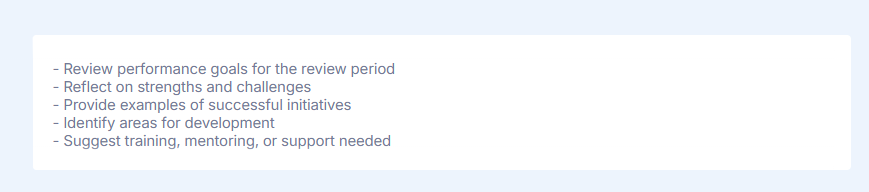
Checklist: Self-Evaluation

Railsware team tip

Encourage employees to reference past 1:1s, peer feedback, or project results. Self-reflection becomes more valuable with context.

Manager Responsibility

Managers evaluate each direct report based on:

  • Goal progress and OKRs
  • Feedback from peers and past reviews
  • Notes from check-ins and 1:1 meetings
  • Quality of work, teamwork, problem-solving, and initiative

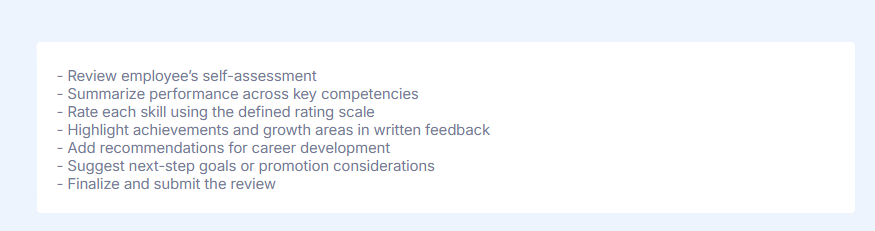
Checklist: Manager Review

Optional: Use AI-generated summaries
Managers can include summaries from lifecycle blocks such as 1:1 notes, past feedback, and check-in highlights to support evaluation.

HR Role

Throughout the review process, HR specialists are responsible for:

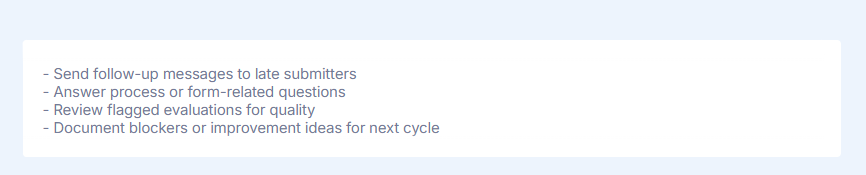
  • Monitoring submission progress and sending reminders to reviewers
  • Supporting reviewers with questions or blockers
  • Assisting managers with rating scale use or evaluation form clarification
  • Ensuring fairness and consistency in collected reviews and recognition
  • Ensuring feedback is constructive and aligned with company values and culture

Pro-tip

The main role of HR at this step is to ensure that all parties understand the process itself, how to submit reviews and why we use those specific skills for evaluation.

Checklist: HR Tasks

Pro-tip

HR teams should regularly check for bottlenecks and missed steps. Visibility into review progress helps keep the cycle on track.

Calibration Support

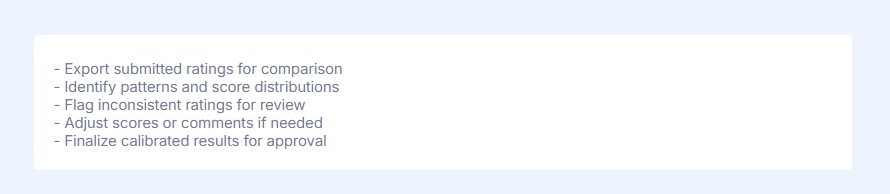
To ensure fairness and reduce bias, HR and Manager may conduct calibration:

  • Compare ratings across similar roles or departments
  • Identify inconsistencies or rating inflation
  • Align feedback tone and outcomes across teams

Checklist: Calibration Support

Pro-tip

Prepare the feedback summaries (f.e. Using AI) which could be later shared to employees with the correct tone of voice.


Let's keep in touch!

Stay updated with my latest posts and news. I share insights, updates, and exclusive content.

Unsubscribe anytime. By subscribing, you share your email with @viktoriiagolovtseva and accept our Terms & Privacy.

Give a Pawfive to this post!


Only registered users can post comments. Please, login or signup.

Start writing about what excites you in tech — connect with developers, grow your voice, and get rewarded.

Join other developers and claim your FAUN.dev() account now!

Avatar

Viktoriia Golovtseva

@viktoriiagolovtseva
Experienced Content Writer & Marketer, passionate about crafting strategic content that drives results and exploring the intersections of content and product marketing to create impactful campaigns.
Developer Influence
80

Influence

5k

Total Hits

36

Posts