Functionality testing software is a cornerstone for ensuring applications work as intended. With the right tool, teams can verify that every feature behaves correctly, users experience consistent performance, and potential bugs are caught before production.
Choosing the right software, however, is not always straightforward. There are many options, each with different capabilities, interfaces, and levels of automation. Understanding the key features to look for can save time, reduce risk, and improve overall testing efficiency.
Why Features Matter in Functionality Testing Software
Not all testing tools are created equal. Some focus on automation, others on reporting, and some offer only basic verification of workflows. For teams aiming to deliver reliable applications, the features of functionality testing software directly impact the quality of testing outcomes.
When evaluating a tool, it’s important to consider how it supports workflow coverage, automation, maintainability, and integration with existing development processes. The right combination of features ensures that subtle logic bugs and unexpected issues are caught early, saving time and protecting end-user experience.
Key Features to Look For
1. Comprehensive Test Coverage
The first feature to consider is the ability to cover all functional aspects of an application. This includes:
- Core workflows and user interactions
- Edge cases and unusual input combinations
- API endpoints and integrations
Functionality testing software should allow teams to define tests that mirror real-world use, ensuring nothing critical is missed. Tools that support detailed workflows or allow visual test mapping make it easier to maintain coverage as applications evolve.
2. Easy Test Design and Maintenance
A good functionality testing software should make creating and maintaining tests simple. Intuitive interfaces, drag-and-drop workflows, or guided test creation help teams avoid spending excessive time scripting tests manually.
Maintaining tests is equally important. Applications change, features are updated, and new functionality is added. The tool should make it easy to update existing tests without rewriting everything from scratch. This reduces maintenance overhead and ensures tests remain reliable over time.
3. Automation Capabilities
Automation is a critical aspect of modern functionality testing. Manual tests can be time-consuming and error-prone, especially for large applications.
Functionality testing software should allow:
- Automated execution of repetitive tests
- Scheduling tests to run at regular intervals or as part of CI/CD pipelines
- Integration with version control systems to trigger tests on new code merges
Automated testing accelerates feedback, allowing teams to detect issues early and fix them before they impact users.
4. Detailed Reporting and Analytics
Tests are only useful if results are clear and actionable. Functionality testing software should provide detailed reports, including:
- Pass/fail results for each test
- Logs of user interactions or system responses
- Trends over time, highlighting recurring issues
These insights help teams prioritize fixes, identify risky areas, and improve overall quality. Some tools also provide visual dashboards, making it easier for non-technical stakeholders to understand testing outcomes.
5. Support for Multiple Platforms and Environments
Modern applications often run across multiple platforms, browsers, or devices. Functionality testing software should support cross-platform testing to ensure consistency.
Key considerations include:
- Web, mobile, and desktop application support
- Different operating systems and browser versions
- Simulating varied network conditions or device specifications
This ensures that functionality is validated in conditions that closely match real-world usage.
6. Integration With Existing Tools
Functionality testing software rarely exists in isolation. Integration with existing workflows is essential for efficiency.
Look for features like:
- Compatibility with CI/CD tools such as Jenkins, GitHub Actions, or GitLab
- Integration with issue trackers like Jira or Trello
- API access to pull data or trigger tests programmatically
Seamless integration reduces manual effort, keeps teams aligned, and ensures testing is part of the overall development lifecycle.
7. Ability to Handle Complex Workflows
Applications today often include complex workflows, conditional logic, and dynamic content. The right functionality testing software should allow teams to:
- Define tests that account for different user paths
- Validate multiple conditions within the same workflow
- Test scenarios with dynamic or unpredictable inputs
Tools that support these capabilities ensure that even the most intricate features are thoroughly validated.
8. Reliability and Scalability
As applications grow, testing demands increase. Functionality testing software should be reliable under heavy loads and scalable to handle more tests, users, or features.
Consider:
- Cloud-based options for easy scalability
- Parallel test execution to speed up results
- Stable performance under long-running or large test suites
Reliable and scalable tools ensure teams can maintain quality as the product and team grow.
9. Support and Documentation
No software is perfect out of the box. Comprehensive support, tutorials, and documentation are vital.
Functionality testing software should offer:
- Clear guides for setting up and running tests
- Responsive customer support
- Community forums or knowledge bases
These resources reduce the learning curve and help teams quickly troubleshoot issues.
10. Security and Compliance Features
Testing tools handle sensitive data in many cases. Ensure that the software complies with security standards relevant to the business.
Key considerations include:
- Data encryption and secure storage
- Role-based access controls
- Audit trails and compliance reporting
These features protect user data and help meet regulatory requirements.
Final Thoughts
Selecting the right functionality testing software is more than picking a tool—it’s about choosing a system that supports quality, efficiency, and reliability.
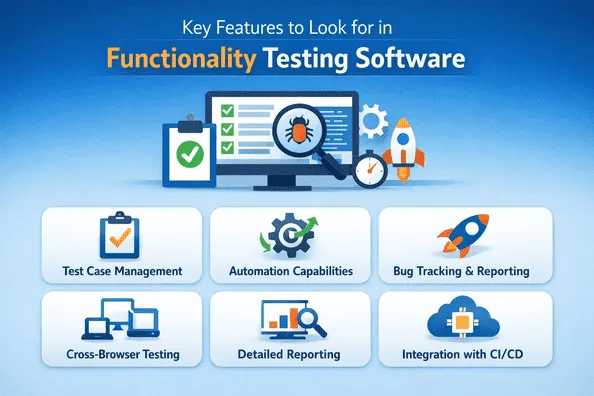
Key features to prioritize include comprehensive test coverage, automation capabilities, ease of maintenance, detailed reporting, and integration with existing workflows. Scalability, reliability, security, and support are equally important.
When these features are present, functionality testing becomes a strategic asset rather than a routine task—it ensures applications perform correctly, delivers user confidence, and supports faster, safer releases. Tools like Keploy highlight how modern functionality testing software can align with both developer and business goals.