Join us

ContentUpdates and recent posts about Magento 2 Multi Vendor Indian GST Extension..
Story Keploy Team
@sancharini shared a post, 1 month, 2 weeks ago

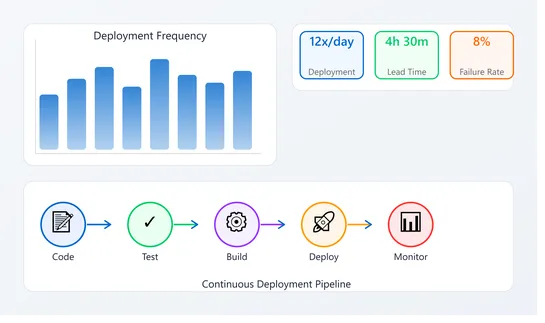
How to Track DORA Metrics Without Months of Engineering Work

Start tracking DORA metrics this week without months of work. Learn simple manual tracking, gradual automation, and practical tools to measure deployment performance
Track DORA Metrics Without Months of Engineering Work
Story
@viktoriiagolovtseva shared a post, 1 month, 2 weeks ago

Contract Review Template for the Legal Team: a Free Checklist

Whether you’re reviewing a routine non-disclosure agreement or a complex commercial contract, your team likely follows roughly the same steps. Although many legal professionals don’t require a predefined plan, in some cases, having a contract review template is very helpful. 

For example, if you have a large legal department, work in a legal firm with numerous clients, or need to scale best practices, in all these cases, process standardization is essential. A contract review template enables you to document all the crucial steps, ensuring that your processes are robust and repeatable.

In this guide, we’ll share a free contract review template for legal teams. We also explain how to use it in Jira or Monday and how to add it to your tasks automatically.

Zrzut ekranu 2026-05-01 103840
Story
@viktoriiagolovtseva shared a post, 1 month, 2 weeks ago

Jira Automation Best Practices That Will Save You Time

Managing projects in Jira often involves many repetitive actions. Creating work items for recurring tasks, reassigning them for reviews, and syncing statuses with dev tools – these are just a few examples. With Jira automation, you can handle such routine actions more efficiently and reduce manual work. If you set up automation rules that work together as a whole, you will create a well-functioning system. This will help you streamline processes and optimize resources.

In this article, we explore hands-on Jira automation best practices that actually save time. You’ll learn how to set up effective rules, avoid common mistakes, and make automation work seamlessly for your team’s unique processes.

Zrzut ekranu 2026-05-01 090408
 Activity
@adrian_schmidt started using tool TypeScript , 1 month, 3 weeks ago.
 Activity
@adrian_schmidt started using tool React , 1 month, 3 weeks ago.
 Activity
@adrian_schmidt started using tool Express , 1 month, 3 weeks ago.
 Activity
@adrian_schmidt started using tool AWS Lambda , 1 month, 3 weeks ago.
 Activity
@adrian_schmidt started using tool Amazon Web Services , 1 month, 3 weeks ago.
 Activity
@adrian_schmidt started using tool Amazon SES , 1 month, 3 weeks ago.
 Activity
@adrian_schmidt started using tool Amazon S3 , 1 month, 3 weeks ago.
On the 1st of July 2017, the Indian government introduced the Goods and Services Tax (GST) to the general public. This tax replaced pre-existing taxes with a destination-based, multi-stage, indirect tax system. The GST applies to all eCommerce and Magento stores within India. The World Bank has stated that the GST is one of the most complex tax systems worldwide due to its intricate nature.

As the GST is bifurcated into multiple tax slabs, it has become more difficult to implement such a complex taxing system in Magento 2. Managing a multi-vendor marketplace entails dealing with numerous vendors who sell various products on your platform. 

This necessitates the computation of GST tax rates based on the product and its category, which can be intricate due to varying tax brackets. An automated system is needed to collect and accurately compute vendor tax rates.

The Magento 2 Multi-vendor Indian GST Extension, also called the Magento Multi-vendor GST Module by MageComp, confidently calculates GST for products sold through your Magento stores by vendors. The module fully complies with the Indian government's GST standards and prominently displays the vendor's GST number and summary in all Magento order documents.

Why choose MageComp’s Magento 2 Multi Vendor Indian GST Extension?

Allows admins to enable/disable the module for global, category, and product-specific configuration.
Orders that are placed with the GST module showcase a detailed bifurcation of tax rates in the order view, credit memos, invoices, new order emails and PDFs.
The GST module displays a detailed SGST and CGST tax bifurcation in the order details.
The module automatically calculates IGST, CGST and SGST based on the products added to the cart.

Benefits of Multi Vendor Indian GST for Admins

Allows admins to mention their GSTIN, CIN and PAN number in all order details.
Admins can import the product-specific GST via a CSV file.
Admins have the option to include or exclude GST tax rates from the product prices.
Admins can easily set their business origins and apply IGST (interstate Magento GST)
The module allows the admin to upload an image and a digital signature to display in invoice PDF.
Admins have the option to generate detailed GST reports based on orders and products.

Benefits for Vendors

Vendors are allowed to add their GST number to all invoices and other documents.
Vendors can set a GST rate from the backend grid while creating a product.
Vendors can also set a minimum order price to apply GST rates.

Benefits for Customers

Customers can enter the buyer’s GST number to signup.
Customers can update their buyer’s GST number any time they want from their account grid.